×
This is the first time you have viewed the node GitHub's traffic numbers aren't all daily counts: they don't add up the referrers.
GitHub's traffic numbers aren't all daily counts: they don't add up the referrers
GitHub's Insights → Traffic page only shows the last 14 days, and the REST API behind it returns the same window. If you want history longer than two weeks, you have to poll the API and store the results yourself. Plenty of small scripts do exactly that.
It's an easy mistake to make, and I made it: they treat every traffic endpoint as if it returned daily counts. It doesn't. Getting this wrong produces numbers that look plausible and are quietly wrong.
Two kinds of data in one API
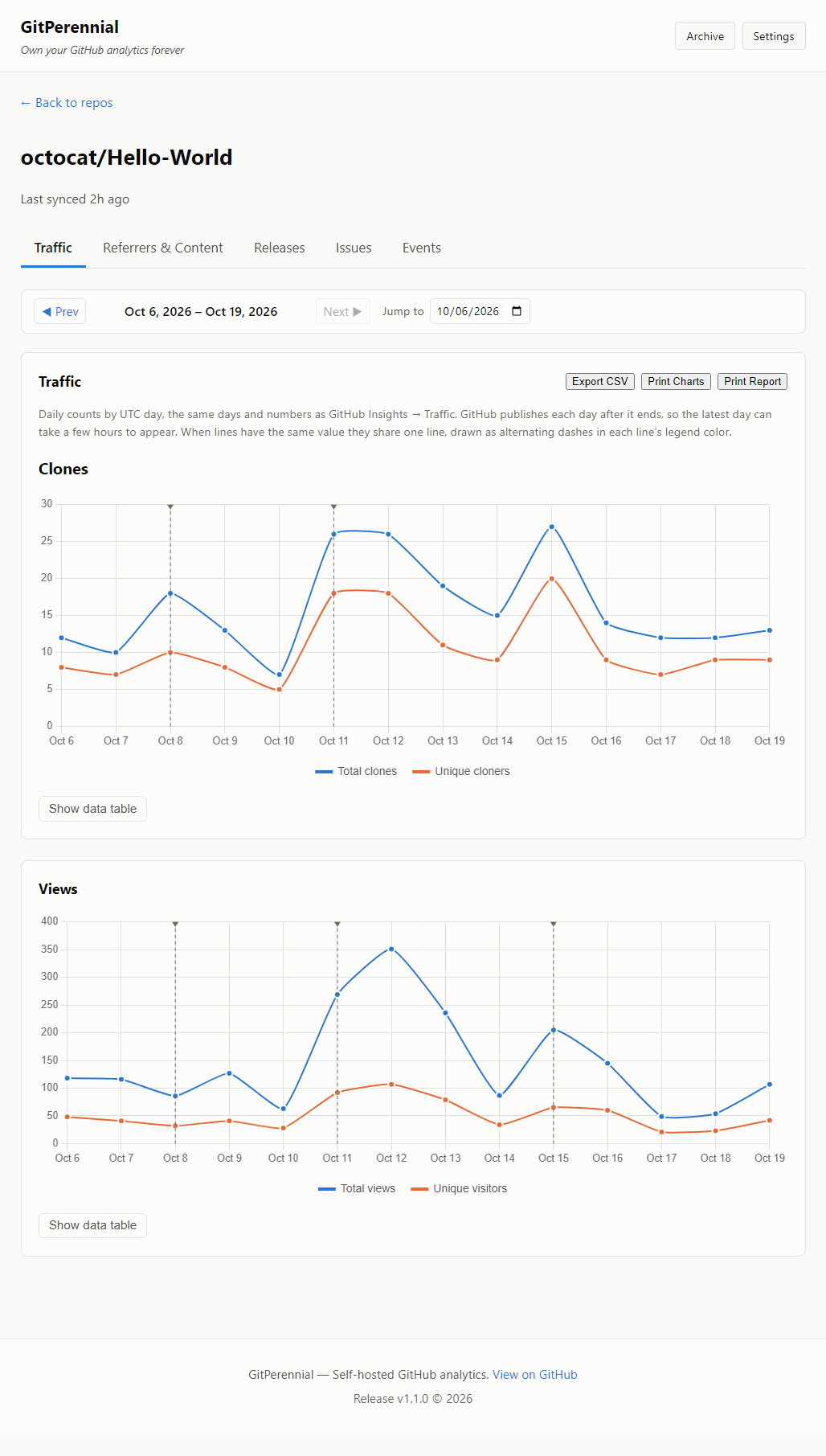
Clones and views (`/traffic/clones`, `/traffic/views`) return a genuine daily series: one count and one unique count per day, for 14 days. Adding days together is fine for counts. Each new poll can also refine earlier days, so upsert by date instead of appending.
Popular referrers and popular paths (`/traffic/popular/referrers`, `/traffic/popular/paths`) are different. They return a short list (the top 10) with one number per entry for the *whole 14-day window*, as of the moment you ask. There is no per-day breakdown.
Poll that every day and you get 14 overlapping windows. A referrer that sent 12 views in a fortnight shows up as roughly 12 in each daily reading. Sum a week of readings and you report roughly 80 views for something that had 12.
I found this by comparing my own tool's reports with GitHub's Insights page. Charts and totals looked fine. The reports didn't match.
What to do instead
- Store one reading per day per entry, keyed by `(date, referrer_or_path)`.
- When reporting a period, show the latest reading, or a chart of the readings over time, labeled as rolling 14-day figures. Never add readings across days.
- Don't add unique counts across days either. One person who visits on three days is three daily uniques but still one person, so a total won't match GitHub's own figure. This applies to clones and views as well.
```python
# pseudocode (upsert and referrers_between are placeholders, not real functions)
# right: one row per day per referrer, upserted
upsert("referrers", key=(day, referrer), count=r["count"], uniques=r["uniques"])
# wrong: this inflates every referrer
total = sum(row.count for row in referrers_between(start, end))
```
Missing data is not zero
Two more traps I hit:
- When a referrer ages out of GitHub's window, the API returns an empty list rather than an error. If you only store rows that exist, an empty list looks identical to "my computer was off that day." Record that the repo was polled, separately from the entries returned, so you can tell a quiet day from an outage.
- Release download counts are cumulative per asset, and assets can be deleted and re-uploaded with new IDs. If you sum every asset you've ever seen, your total will drift away from the number on the release page. Count only the assets in the most recent successful poll.
Verify against an independent source
The most useful thing I did was reconcile the output against something I didn't write: GitHub's Insights screenshots and the public API. For 60 generated reports I also recomputed every figure with plain SQL. That is how the 12-views-counted-as-roughly-80 error surfaced, and it's cheap to do for any tool that reports numbers.
I built GitPerennial (https://gitperennial.shallcross-consulting.com), a self-hosted app that polls these endpoints on a schedule and keeps the history in a local SQLite file, with the help of Claude Code. It is a commercial product: the free tier tracks one repo with no time limit, and tracking more repos needs a $60 one-time licence. The lessons above come from fixing it, and apply to any script you write yourself. Docs and downloads: github.com/SC-Admin567/GitPerennial (https://github.com/SC-Admin567/GitPerennial).
Add Comment
Your Email address will not be published